
A development environment where the agent sees everything the IDE sees
Liho IDE is built on its own core. The editor, plugins and agents exchange data through it in both directions: the agent knows what is happening in Git, CI, Kubernetes or your metrics, and the IDE adapts to its changes. Issues, specs, review, pipelines, agents over ACP and team memory come out of the box, so you can assemble your own AI SDLC without third-party extensions.
macOS on Apple Silicon, Windows x64, Linux x64. Interface in English and Russian.
Everything flows through the Liho IDE core — both ways
Liho IDE is not a layer on top of someone else’s editor. It has its own core: the core owns project files, processes, secrets and permissions, and plugins and agents connect to it. That is why data from any plugin reaches the agent, the agent’s actions come back into the IDE, and all of it passes the same checks.
Agents
- Liho agent
- Claude Code
- Codex CLI
- Kimi CLI · ACP
- Copilot CLI · ACP
Liho IDE core
- permissions and approvals
- change review
- secrets
- task journal
Plugins
- Git · Code Review · CI/CD
- Kubernetes · Docker
- Observability
- Databases · Kafka · S3
- Issues · SDD · Flow
- TeamBrains
From the IDE to the agent
- Plugin tools: the agent reads pod logs in Kubernetes, Docker container state, Kafka topics and messages, table structure and query results from the database, the failed step of a pipeline.
- Observability: metrics, logs and traces from Prometheus, Loki and Tempo reach the agent as the fragments you select, with secrets masked.
- Project context: files via @, issues and specs, reviews, team memory.
From the agent to the IDE
- The agent’s edits appear in the editor hunk by hunk: keep, roll back, or undo the whole turn.
- The IDE adapts to the result: tests run on the accepted changes, the story moves to its next stage in the tracker, a pipeline fix goes to a merge request.
- Artifact editors understand edits by meaning: CSV rows, Markdown blocks, Excalidraw elements.
Safe because it goes through the core
- Every plugin runs in its own isolated process and gets only the permissions declared in its manifest.
- Secrets stay in the OS store: the HashiCorp Vault, S3 and Kafka tools give the agent metadata, never secret values or keys.
- Changing tools are marked and need your confirmation: writing to a database or Kafka, deleting a resource, publishing a comment.
- Every agent action lands in the task journal: time, files, lines, tokens and cost.
Your AI SDLC — out of the box
The whole cycle from issue to release lives in one IDE, and every stage knows about its neighbours: a story from the tracker becomes a spec, the spec becomes agent work, the result becomes a merge request and a pipeline, and the outcome becomes a team memory record. The stages are linked through core services, so the process fits your team: with an agent at any step or without one.
Issue
A Markdown tracker inside Git: projects, sprints, epics, stories, Kanban and EARS requirements.
Spec
SDD with OpenSpec: change artifacts, a prompt preview, checks before the run.
Implementation
The agent works in an isolated copy of the project; changes go through review and tests.
Review
GitLab merge requests and GitHub pull requests: diffs, threads, agent review published after your confirmation.
CI/CD
GitLab pipelines and GitHub Actions: logs, retries, failure analysis and a fix at the exact commit.
Memory
After archiving, the change becomes a TeamBrains record: the team and its agents remember what was done and why.
The Flow board puts the cycle on one screen: for every story you see its stage, merge requests, pipelines and next step, and stuck stories with the reason.
Any agent — over ACP and MCP
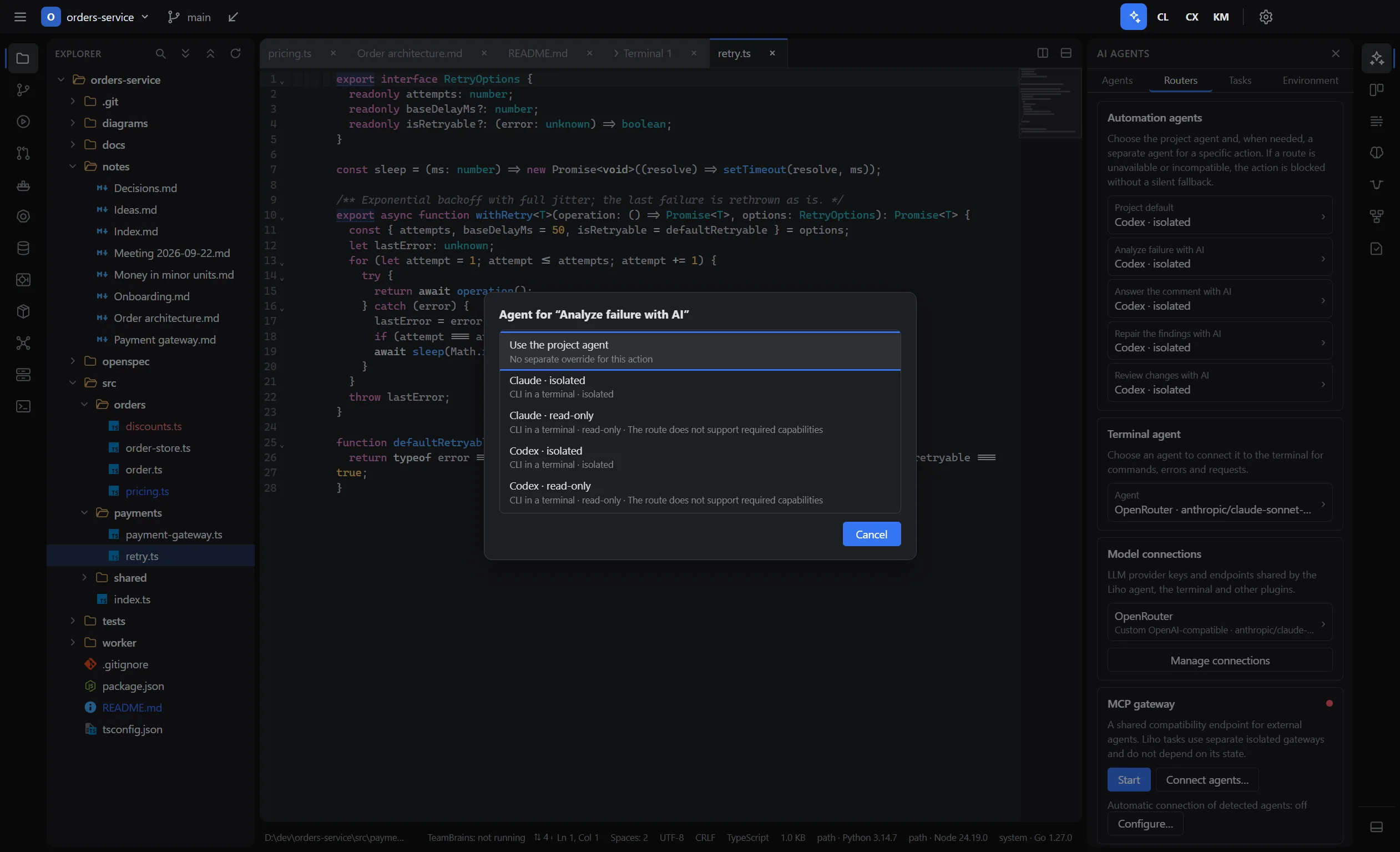
The Liho agent, Claude Code, Codex CLI, Kimi CLI and GitHub Copilot CLI work in one IDE chat with shared attachments, permissions and team memory. Kimi and Copilot connect over the Agent Client Protocol, and through the MCP gateway any external agent gets the IDE’s plugin tools.
Team memory — horizontal and vertical
- Horizontal — what the whole team knows: decisions, colleagues’ records, “who to ask”, search with a link to the source.
- Vertical — the history of every change: from the issue and spec to review, pipeline and archive.
- The Team memory toggle adds matching records to every agent turn — any agent, Claude Code and Codex included.
Hand off a change, and decide what to keep
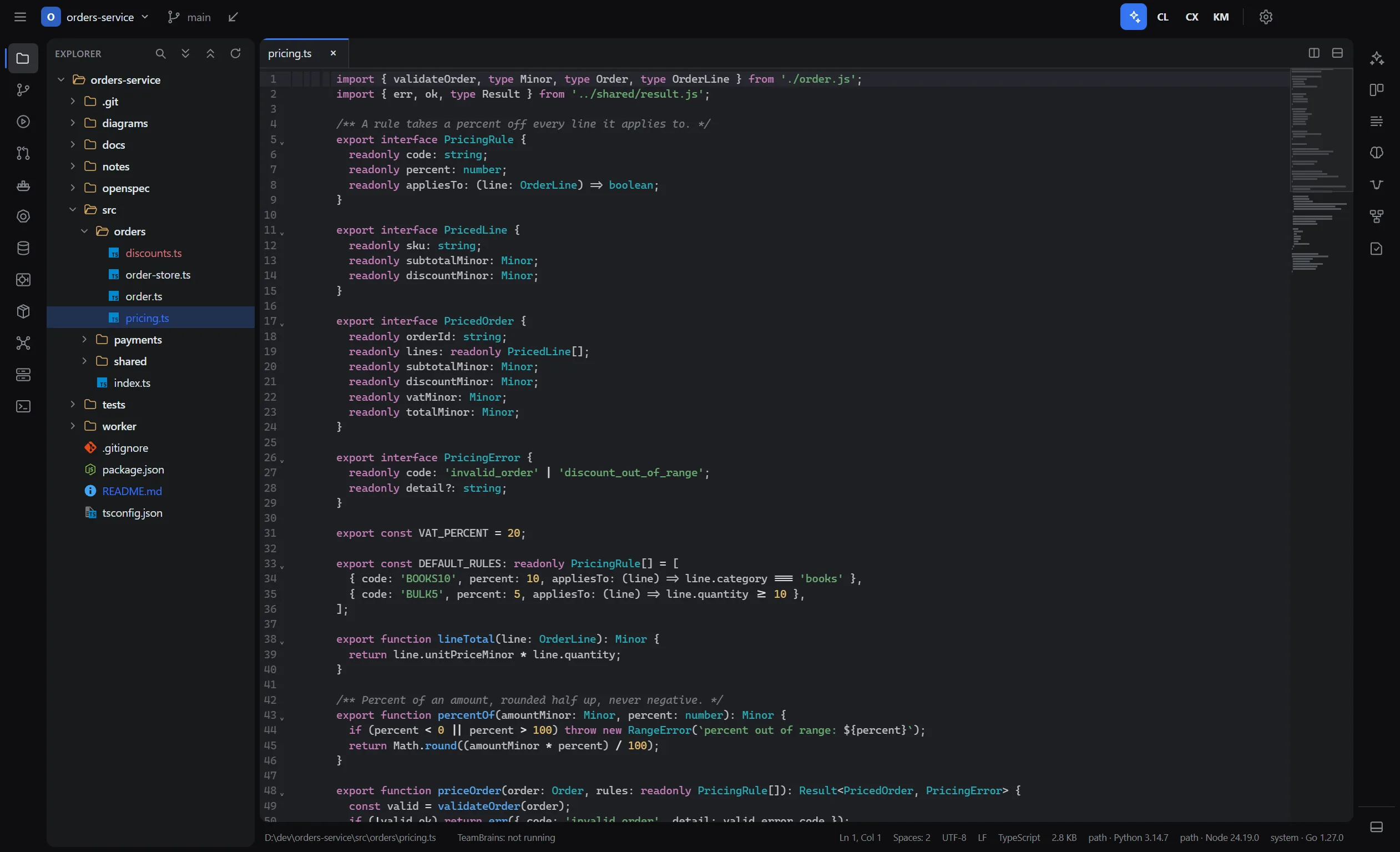
Open a project, connect a model and describe the task in the agent chat. You can pass files with @. Before every file change and every command, except a short list of safe read-only commands, the agent shows the exact path, command or patch and waits for your permission.
Task
Describe the change in the chat and point to files with @.
Permissions
Every edit and command waits for your answer. There is no “Always” option for them; access to .env files and keys needs a second confirmation.
Review
After a turn the changes are listed by file and hunk: accepted hunks stay, rejected ones are rolled back. The whole turn can be undone.
Verify and ship
Run the tests in the testing panel and commit the changes in the Git panel.
Automated tasks — implementing a spec, fixing a failed pipeline, automations — run in an isolated copy of the project. Their changes reach the working tree after checks and applying, tests run on the reviewed changes, and commit, push and merge request are confirmed separately. The agent works with the model you connected: Liho LLM, OpenRouter, Anthropic, OpenAI or a compatible gateway.
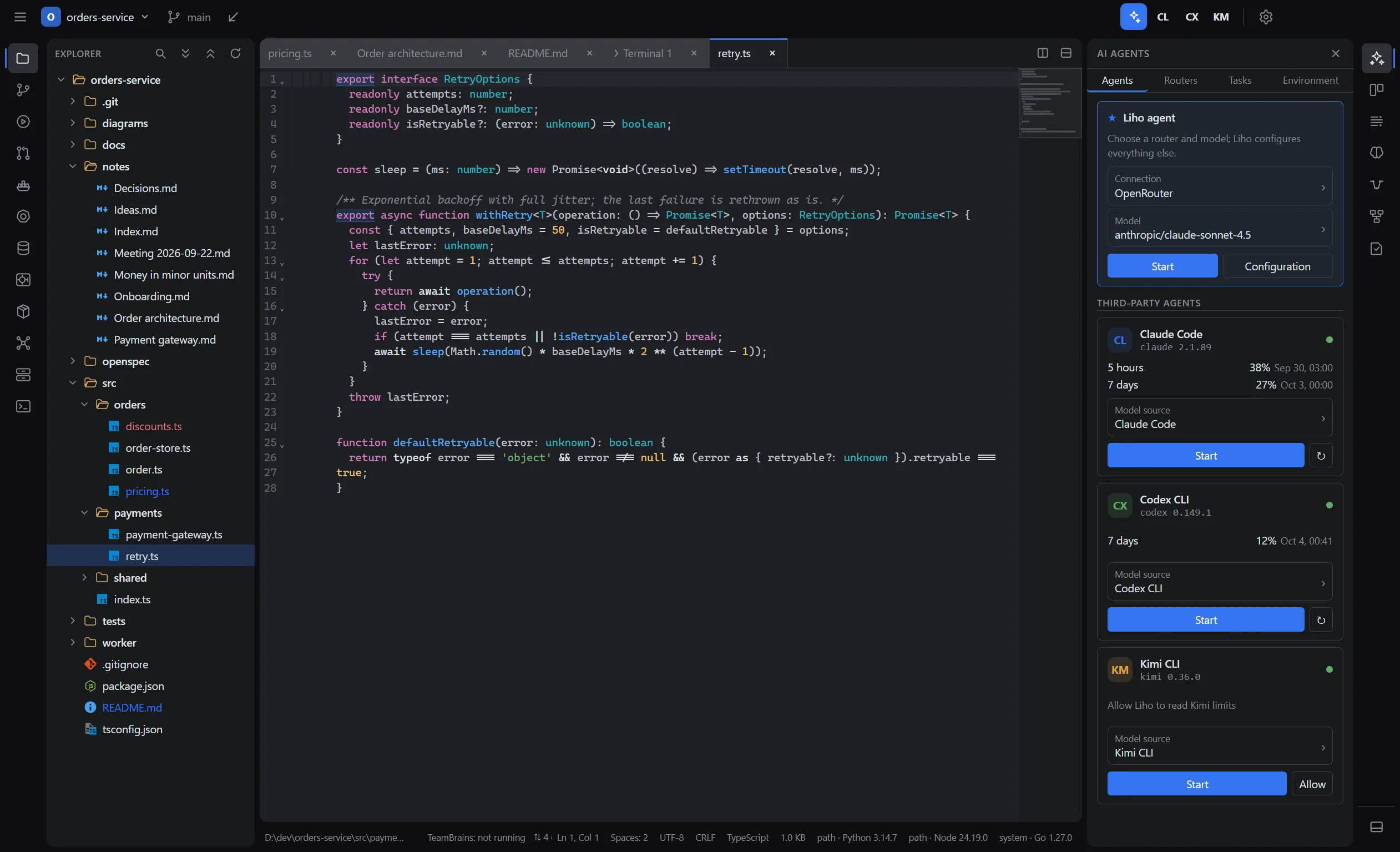
Claude Code, Codex and other CLIs in an IDE tab
Claude Code, Codex CLI, Kimi CLI and GitHub Copilot CLI run in their usual interface in a Liho terminal tab, with their own sign-in and settings. The IDE saves the session as a task: you can stop it, resume it and see its token usage.
- The CLI gets its models from its own settings or from a compatible Liho connection.
- Through the MCP gateway, external agents get the tools of IDE plugins. Changes to their configuration go through a confirmation dialog.
- The IDE also finds other CLI agents on your computer and shows their MCP servers, skills and commands.
Code, debugging and tests
Editing and navigation
- Syntax highlighting for about 70 languages.
- Language servers for TypeScript, Python, Go, Java, Kotlin, C/C++, C#, PHP, HTML, CSS, JSON and YAML are downloaded on demand. Rust and Ruby work if the server is already installed.
- Go to definition and references, project-wide rename, auto-import, type hints, Outline.
- Refactoring within what the language server supports, with preview and undo.
- Project-wide search and replace, up to six editor groups, file comparison, local history.
Running and debugging
- A debugger for Python, JavaScript/TypeScript, Go, .NET, C/C++/Rust, Java and PHP: conditional breakpoints, logpoints, watch expressions.
- Reads .vscode/launch.json and .vscode/tasks.json, and finds npm, Make, Go, Gradle, Maven and other build tool tasks.
- Detects the project interpreter: .venv, version managers, PATH. It does not install project tools itself.
Tests
- A test panel for pytest, go test, Vitest and Jest: run from the editor, inspect failures.
- Coverage import in LCOV, Cobertura and Go formats.
Everything for day-to-day work with a repository
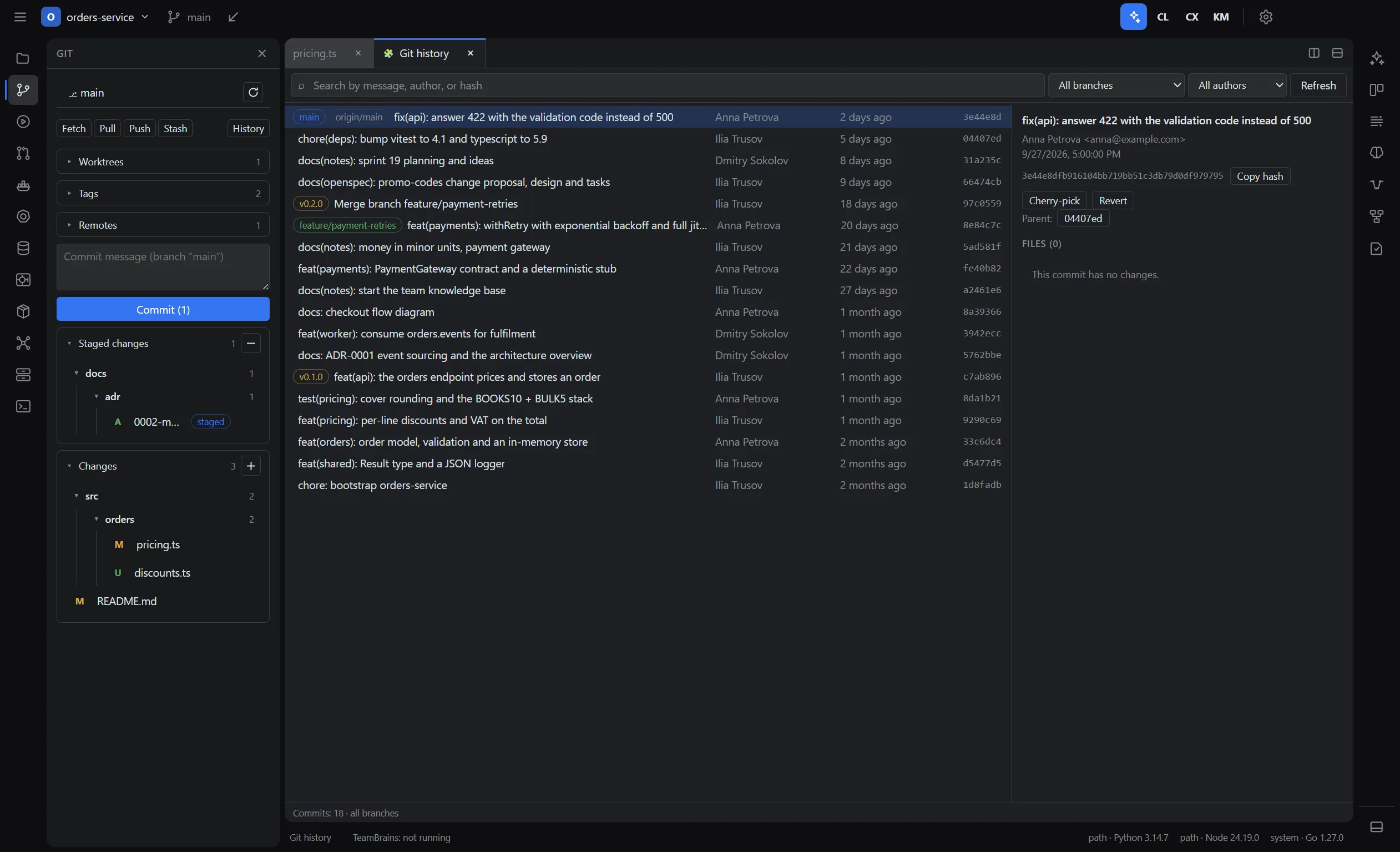
Git
- Hunks, staging, commits, branches, stash, tags and remotes.
- A three-way merge conflict editor, history graph, blame.
- Force-push only with a check of the remote branch’s current state.
Terminal
- A real terminal with bash, zsh, fish and PowerShell integration.
- Command blocks with exit codes, history, clickable paths.
- Help when a command fails: offline rules first, a model or agent on request. Secrets are masked, and a suggested command never runs by itself.
Merge requests and pipelines without leaving the IDE
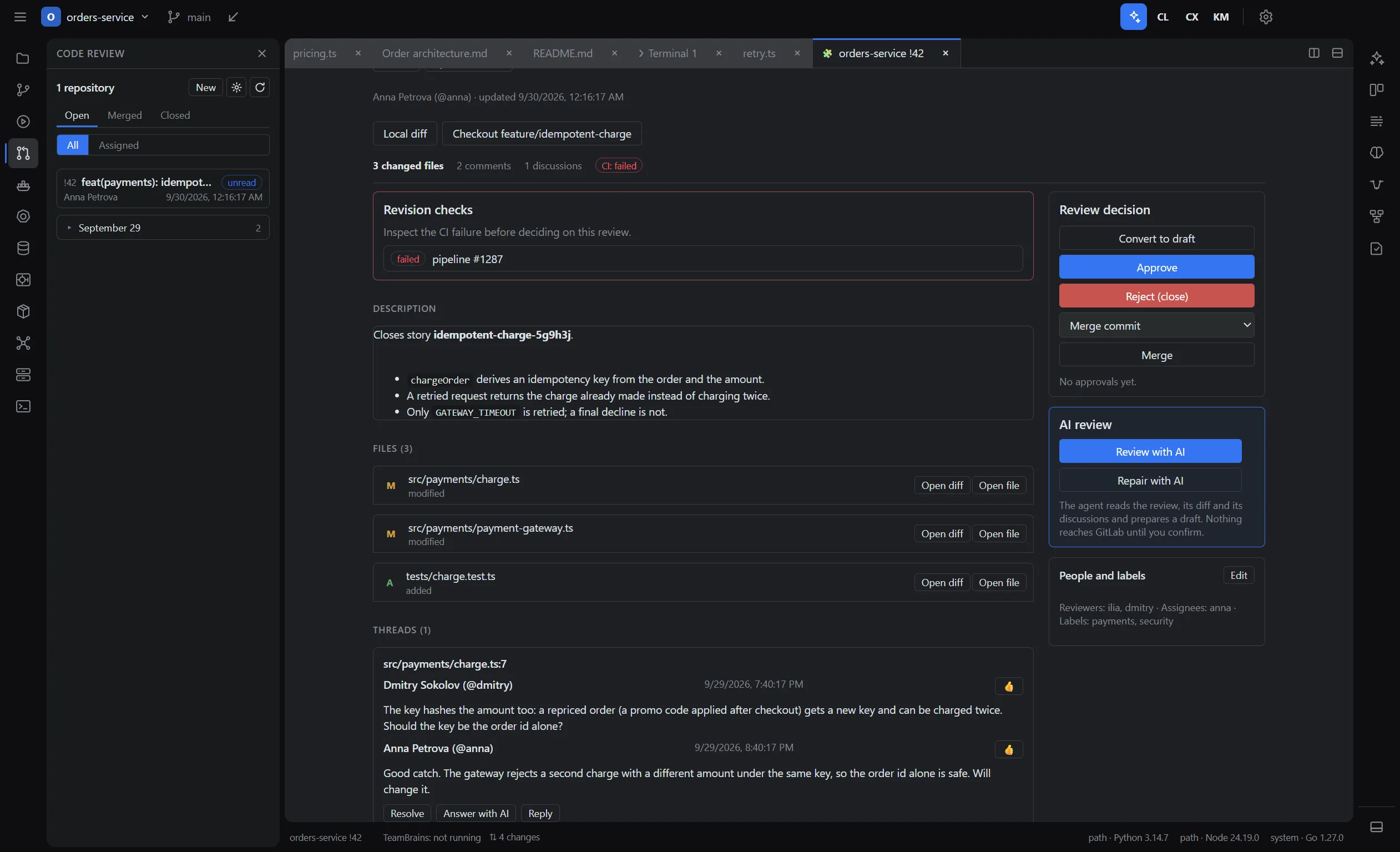
The Code Review plugin shows GitLab merge requests and GitHub pull requests from several repositories: diff, discussions, approval and merging. The agent can read the changes and prepare a review; comments are published only after you confirm.
The CI/CD plugin shows GitLab and GitHub Actions pipelines: logs, reruns, manual jobs. For a failed run, the agent prepares an analysis and a fix on the right commit; the branch, push and merge request are confirmed separately.
Requires a GitLab or GitHub token and a configured agent for automated actions.
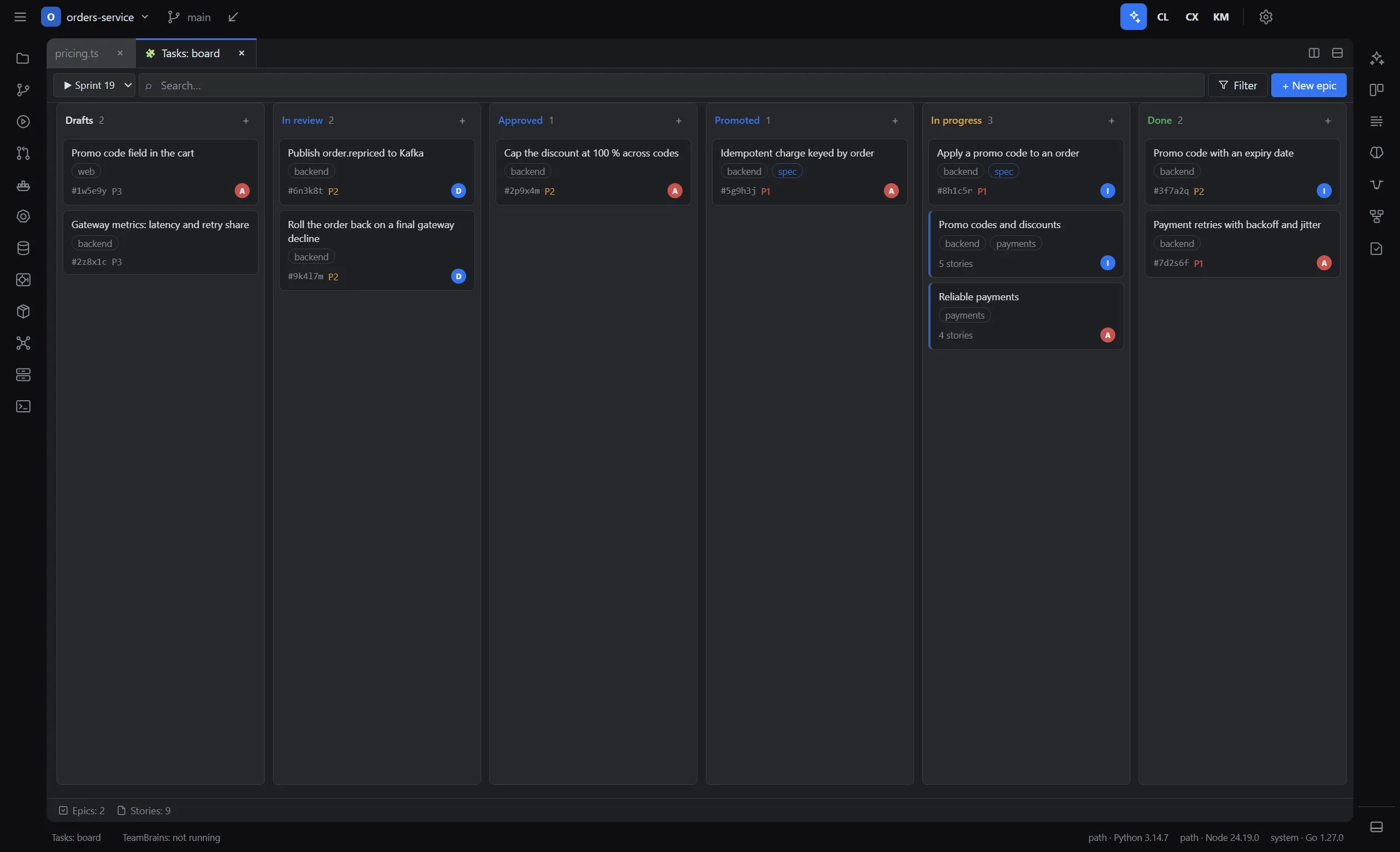
Planning lives in the repository
The issue tracker stores projects, sprints, epics and stories as Markdown inside Git: a Kanban board, specs, offline work with no server. The team sees issues the same way it sees code, through a shared repository.
- Specs and changes with OpenSpec: artifacts, running the agent in an isolated copy, verification and archiving. Requires the openspec CLI.
- The Flow board shows a story’s stage, its merge request and pipelines.
- Project settings committed to the repository apply to everyone; personal defaults apply across all projects.
The plugin system and what ships in the box
Liho IDE plugins run on its own Plugin API v3: each one in its own isolated process behind the core broker, with only the permissions from its manifest. Built-in plugins use the same API as third-party ones and publish services that other plugins and agents use: that is how the Flow board reads issues, reviews and pipelines, and how the agent reads Kubernetes or database tools. Your own plugin installs from a ZIP archive or a folder.
29 plugins in the box
Code and delivery
- Git
- Code Review for GitLab and GitHub
- CI/CD: GitLab and GitHub Actions
- Terminal
- HTTP client with OpenAPI import
- Jupyter
Infrastructure
- Docker
- Kubernetes
- Databases: PostgreSQL, MySQL, MariaDB, MongoDB, Redis, SQLite
- Kafka
- S3
- HashiCorp Vault
- SSH
- Observability: Prometheus, Loki, Tempo
Process and agents
- Issues
- SDD with OpenSpec
- Flow
- TeamBrains
- AI agents and the MCP gateway
- Liho LLM
Documents and artifacts
- Notes with a link graph
- Mermaid
- Excalidraw
- Data model
- HTML mockups
- CSV tables
- Visual Markdown
- Images and PDF
How Liho IDE differs technically
Architecture and built-in capabilities next to VS Code, Zed and JetBrains IDEs. The other editors are described from their public documentation and may change.
Own core in TypeScript, CodeMirror 6 editor, own LSP and DAP clients
- VS Code
- Code - OSS on Electron, Monaco editor
- Zed
- Own Rust engine with GPU rendering
- JetBrains IDEs
- IntelliJ Platform on the JVM
Plugin API v3: each plugin in an isolated process behind the core broker, permissions declared in the manifest
- VS Code
- Extensions in a shared Node.js Extension Host process
- Zed
- WebAssembly extensions: languages, themes, context servers
- JetBrains IDEs
- JVM plugins inside the IDE process
Through the core both ways: plugins give the agent context and tools, the agent’s edits come back into editors and panels through review
- VS Code
- Chat and Language Model APIs, extension tools, MCP
- Zed
- Agent panel, MCP context servers
- JetBrains IDEs
- AI Assistant and Junie, MCP
Claude Code, Codex CLI, Kimi CLI and GitHub Copilot CLI in the shared IDE chat or their own terminal; Kimi and Copilot over ACP
- VS Code
- GitHub Copilot; other agents through extensions
- Zed
- External agents over ACP
- JetBrains IDEs
- Junie; external agents through plugins and ACP
Permission for every edit and command, hunk-level review; automated tasks in an isolated Git copy, applied after verification
- VS Code
- Review and accept edits, confirm commands
- Zed
- Review edits in a multibuffer, confirm tools
- JetBrains IDEs
- Review the agent’s changes
Docker, Kubernetes, PostgreSQL, MySQL, MariaDB, MongoDB, Redis, SQLite, Kafka, S3, HashiCorp Vault, SSH, Prometheus, Loki, Tempo, HTTP client, Jupyter
- VS Code
- Through Marketplace extensions
- Zed
- Terminal; the rest through external tools and extensions
- JetBrains IDEs
- Databases, Docker, Kubernetes and an HTTP client in higher editions and plugins
Issue tracker in Git, OpenSpec specs, GitLab and GitHub review, CI/CD and the Flow board, linked through the core
- VS Code
- Through GitHub, GitLab and tracker extensions
- Zed
- Git; trackers and CI are external services
- JetBrains IDEs
- Tracker, review and CI integrations through plugins
TeamBrains: team memory in Git with search, source links and injection into every agent turn
- VS Code
- Instruction files in the repository
- Zed
- Rules files in the repository
- JetBrains IDEs
- Rules and instruction files
Task journal: time, files, lines, tokens and cost of every attempt
- VS Code
- Usage in the Copilot account
- Zed
- Usage in the Zed account or at the provider
- JetBrains IDEs
- Quota in the JetBrains AI account
Any connection: Liho LLM paid in rubles, OpenRouter, Anthropic, OpenAI, compatible gateways; CLIs use their own subscriptions
- VS Code
- Copilot models and your own keys
- Zed
- Zed models, your own keys and local models
- JetBrains IDEs
- JetBrains AI, your own keys and local models
Connect the models you already use
The Liho agent and automated actions work through model “connections”. Keys are kept in the OS secure storage.
Liho LLM
Sign in through the browser, and a connection to catalog models with a ruble balance is set up automatically.
Your own keys
OpenRouter, Anthropic, OpenAI or any OpenAI-compatible gateway.
CLI subscriptions
Claude Code, Codex, Copilot and Kimi use their own plans and sign-in.
There is no built-in free model: you need to connect at least one source.How to connect Liho LLM in the IDE
Platforms
- macOSApple Silicon, .dmg installer.
- Windowsx64, .exe installer.
- Linuxx64, AppImage and .deb.
Crash reports and anonymous usage statistics are on by default and can be turned off in the privacy settings; file contents are never sent.
Download Liho IDELiho IDE FAQ
No. It is a standalone app with its own CodeMirror 6–based editor, its own terminal and its own plugin system. That is why VS Code extensions do not work in it, while the IDE does read .vscode/launch.json and tasks.json files.
Through the IDE core. Plugins publish tools and services, the core hands them to the agent — directly to the Liho agent, to external agents through the MCP gateway — and brings its edits and actions back into the IDE.
Plugins run in isolated processes with declared permissions, secrets stay in the OS store, changing actions need confirmation, and everything the agent did is recorded in the task journal.
Yes. Plugins are written against Plugin API v3 — the same API the built-in ones use — and install from a ZIP archive or a folder via File → Plugins. A plugin gets only the permissions declared in its manifest.
The Liho agent asks permission before every file edit and command, and after each turn you keep or roll back its changes hunk by hunk. Automated tasks run in an isolated copy of the project.
Claude Code and other CLIs work in the project directly, by their own rules and with their own permissions. The IDE manages their sessions but does not check their actions.
No. Liho LLM is one option. You can connect OpenRouter, Anthropic, OpenAI or another compatible gateway, and CLI agents use their own subscriptions.
You can import VS Code and JetBrains keyboard shortcuts. The IDE has 17 color themes.
Crash reports and anonymous usage statistics. File contents, screenshots and variable values are not sent; paths and tokens are scrubbed. You can turn sending off in the privacy settings or with the environment variable LIHO_TELEMETRY=0.
The site does not list a price for the IDE. If you use Liho LLM models, requests are paid from your account balance at catalog prices.
Open your project in Liho IDE
Download the IDE, connect a model and give the agent its first change, approving every edit.